Part of our guide to the Business Suite. More guides on this topic
If you are signing up for a virtual address, you will almost certainly run into one required document: USPS Form 1583. This guide explains what the form is, why it matters, and exactly how to complete it so your digital mailbox setup moves without delays. No jargon, just the practical steps that get your mail flowing to a secure business address.
Download the current version straight from the source: PS Form 1583 (PDF) at USPS.com.
What USPS Form 1583 is and why it matters
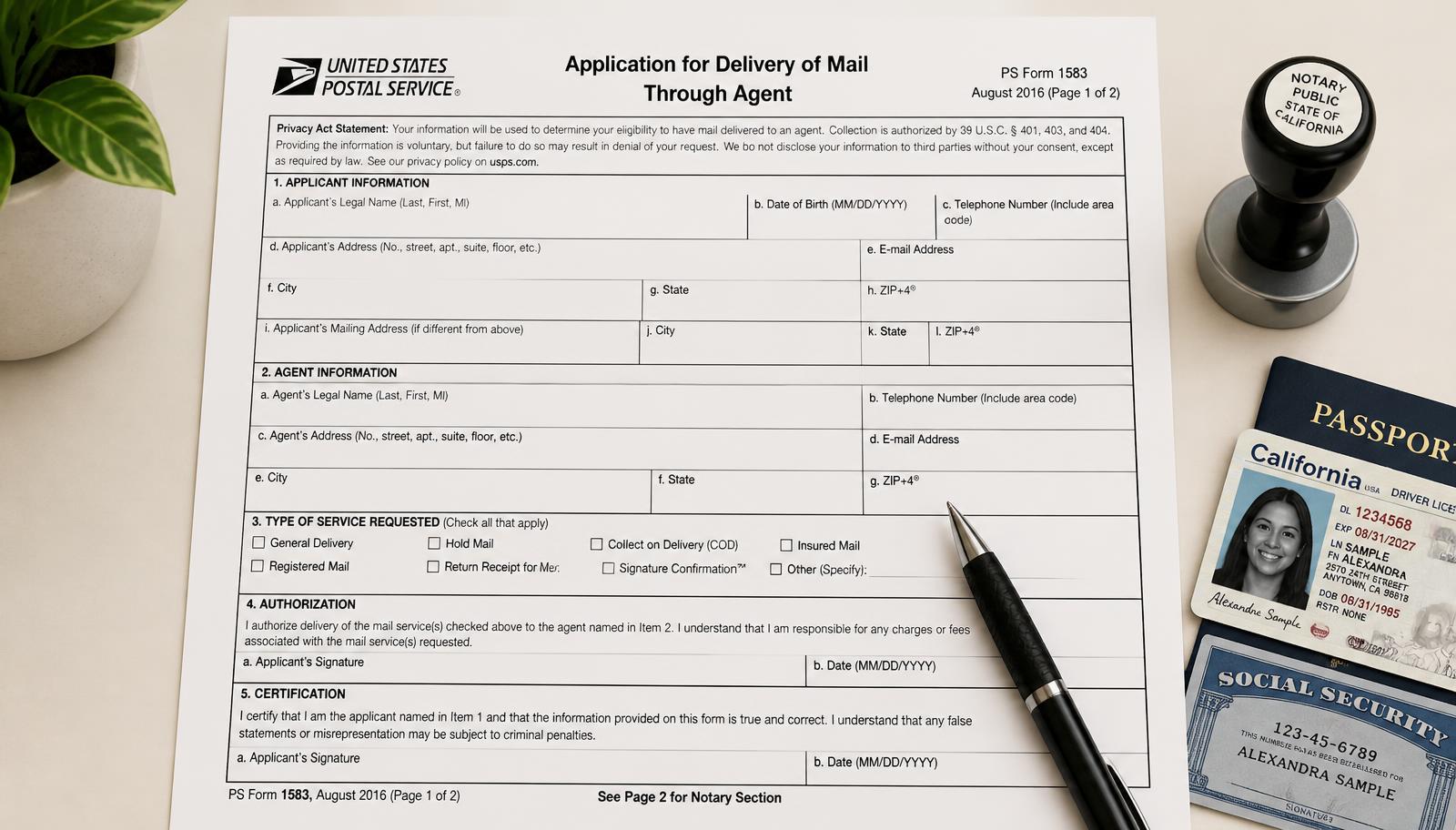
USPS Form 1583 authorizes a third party, such as a digital mailbox provider, to receive mail on your behalf. Think of it as a legal permission slip. The Postal Service needs to confirm your identity and approve the mailbox operator handling your mail. Without a completed, notarized form, your provider is not allowed to accept a single envelope for you.
There is also a short walkthrough on video if you would rather watch than read.
Who needs this form
- Anyone registering a digital mailbox or mail forwarding service
- Small businesses that want a professional business address instead of a home address
- Remote workers and founders who need secure mail handling while away from an office
What you need before you start
- Complete contact details. Full legal name, company name if applicable, physical address, phone and email.
- A primary photo ID. State-issued driver's license, state ID or passport.
- An address ID. Item 9g of the form lists exactly six acceptable documents: a U.S. State, Territory or Tribal driver's or nondriver's ID card, a current lease, a home or vehicle insurance policy, a mortgage or deed of trust, a vehicle registration card, or a voter card. A bank statement or utility bill is not on that list.
- Notarization. The signed form must be notarized in person or through an accredited online notary.
You cannot use the same document for both the primary and secondary ID. That single mistake causes more rejections than anything else on this form. The form is explicit that a driver's or nondriver's ID card may be used as the photo ID or the address ID, not both, so a licence on its own is never enough.
Step by step: filling out Form 1583
- Step 1. Download the form from USPS or get the pre-filled version from your provider.
- Step 2. Enter your full legal name and business name exactly as they appear on your ID and state registration.
- Step 3. Enter your physical home address and contact details, not the virtual mailbox address.
- Step 4. List every individual authorized to receive mail through the mailbox.
- Step 5. Attach clear copies of your two IDs, one photo and one non-photo.
- Step 6. Sign the form in front of a notary, or complete your provider's online notary verification.
- Step 7. Return the notarized form and ID copies to your provider for final processing.
The form is short. The delays come from mismatched names, blurry ID scans and a missing notary seal, not from the questions themselves.
Tips to avoid delays
- Make names and addresses match exactly across the form, your IDs and your state filing.
- Use clean scanned PDFs rather than phone photos taken at an angle.
- Never reuse one document as both primary and secondary ID.
- Book the notary early. Bank and shipping-center notaries keep limited hours.
- Ask whether your provider notarizes on site. At Lobi Space our Chicago notary handles it in about fifteen minutes while you wait.
Frequently asked questions
Can I use a passport and a bank statement as my two IDs?
Not as a pair. A passport is an acceptable primary photo ID, but a bank statement is not on the USPS address list. Item 9g accepts only a U.S. State, Territory or Tribal driver's or nondriver's ID card, a current lease, a home or vehicle insurance policy, a mortgage or deed of trust, a vehicle registration card, or a voter card. Pair the passport with one of those.
What if I am not a U.S. citizen?
Non-citizens can complete Form 1583, though acceptable IDs vary. A passport plus one of the accepted address documents, such as a current lease, a vehicle registration card or an insurance policy, is the usual pairing. Confirm the specifics with your provider before your notary appointment.
Can I sign the form remotely?
Only if your provider supports online notarization. The form must be notarized either in person or through an accredited remote online notary.
How long does approval take?
It varies by provider. When the documents are correct and the notarization is complete, approval is often done within 24 to 48 hours. Mailboxes at Lobi Space usually go live the same day.
How do I change authorized recipients later?
Contact your provider. Adding or removing a recipient normally requires a new signed and notarized Form 1583 listing the updated names.
After the form: your mailbox goes live
Once your 1583 is on file, your address is usable for filings, banking and marketing, and your mail becomes digital. You get an envelope photo the day it arrives, then choose scan, forward or pick up at the front desk.
Completing Form 1583 is a small administrative step with an outsized payoff: a compliant, professional Chicago address you can put on every document. See Business Mailbox pricing or contact us to start, and read our companion guide on using a virtual address for your LLC.
Follow @lobispace
Guides, Chicago business news and studio work, every week.