
Part of our guide to the Business Suite. More guides on this topic
For five years our website was a patchwork. A Wix site for the front door. Zoho and Salesforce behind it for leads. WordPress pages for the extras, each held together by plugins that broke when another one updated. A separate portal for members. Every new idea meant a new tool, a new login and a new monthly bill.
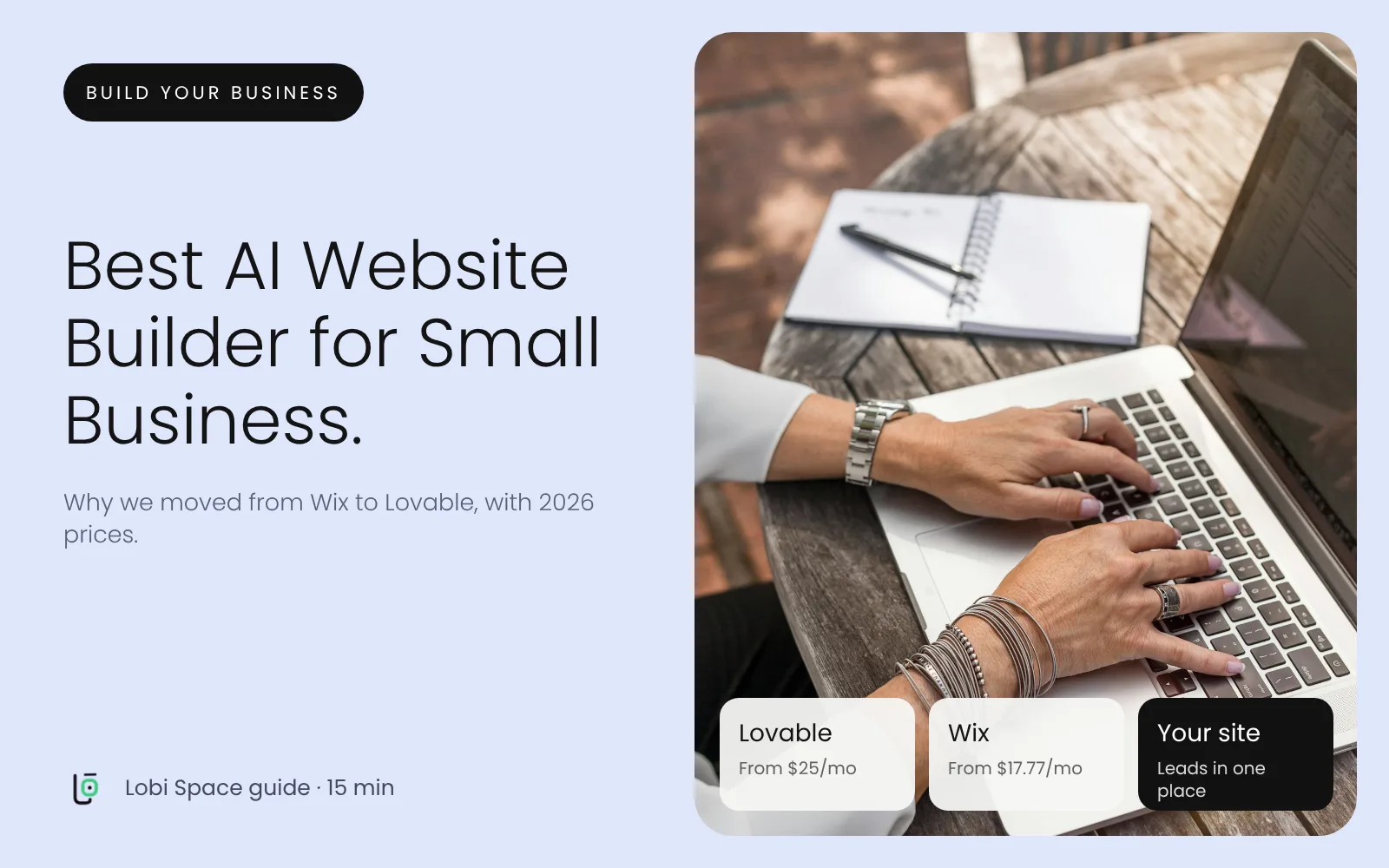
In February 2026 we started moving all of it to one place. Today lobispace.com, the guides you're reading, our lead intake and the dashboards our team and members use are built on Lovable, an AI app builder. The site you're on is the proof.
This guide is our honest answer to a question small business owners ask us every week: what's the best AI website builder for small business, and is it Wix, GoDaddy, Squarespace, WordPress, or something new? We'll show you what each one costs in 2026, where Lovable wins, where it doesn't, and how a first-time owner can build a landing page, a full site or a lead form without hiring anyone.
Why this matters: Your website is no longer a brochure. It's where customers find you, ask questions and hand you their phone number. If it can't capture a lead, answer the question a customer just typed into Google or ChatGPT, and change when your business changes, it's costing you money every month.
*Disclosure: Lobi Space is a Lovable partner. If you sign up through our links, we may earn a referral fee. It doesn't change your price, and it didn't change what we wrote here.*
What we were paying before
Here's the short version of what our setup looked like before Lovable.
- Website: Wix Studio for the main site, plus WordPress pages for lead magnets and landing pages.
- Leads and customers: Zoho and Salesforce, each billed per user, every month.
- Member tools: a separate portal, built and rebuilt more than once.
- Glue: plugins and integrations to move a form entry from the site into the CRM, which failed quietly when one of them updated.
"Between Wix Studio, Zoho and Salesforce we were paying over $20,000 a year. Over five years we spent more than $75,000 building lead magnets, landing pages and portals for our members. Most of it was customizing our business to fit the software. Now we build the software around how we actually work."
>
Patrick P., founder, Lobi Space
That last line is the real point. Off-the-shelf builders and CRMs come with their own idea of how a business runs. You end up bending your process to fit their forms, their fields and their plan limits. When we changed how we sell a virtual office or a filing, we had to wait for a plugin, pay for a higher tier, or live with a workaround.
What is an AI website builder, really?
Most "AI website builders" are a regular drag-and-drop builder with an AI writer on top. You answer a few questions, the AI picks a template, writes the first draft of your text, and then you're back in a normal editor. Wix has Aria, Squarespace has Blueprint AI, GoDaddy has Airo. They're good at getting a simple site up in an afternoon.
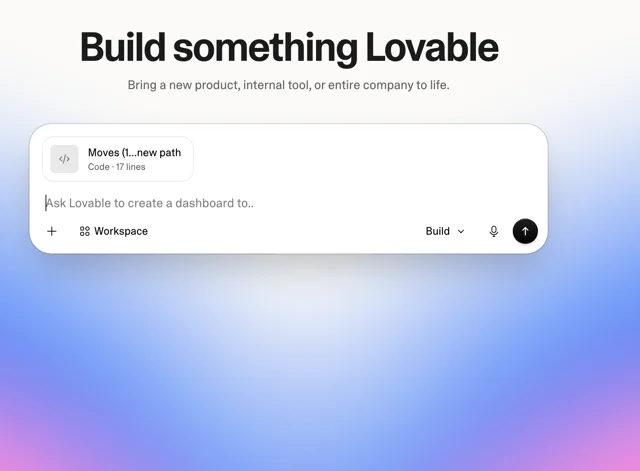
Lovable works differently. You describe what you want in plain English, and it writes the actual code: the pages, the forms, the database behind them, and the logic that connects them. Then you keep talking to it. "Add a quote request form that emails me and saves the lead." "Make the pricing cards match our brand colors." "Build a page where members can see their mail."
That difference sounds small. It isn't. A template builder can only do what its templates and apps allow. A builder that writes code can do almost anything you can describe, including the strange, specific things your business needs that no template was ever built for.
Best AI website builder for small business: the 2026 prices
Prices below are what each company published in November 2026. Where a price came from a third-party review instead of the company's own page, we say so. Check checkout before you buy. Builders change prices often, and intro prices usually go up at renewal.
| Builder | Entry plan | Mid plan | What the price covers | Watch out for |
|---|---|---|---|---|
| Lovable | Free, then Pro $25/mo | Business $50/mo | The builder, hosting on your own domain (Pro and up), 100 credits a month on Pro, backend with Lovable Cloud | Credits are used per request. Heavy building means top-ups |
| Wix | Light $17.77/mo, billed yearly | Business $39.77/mo | Site, hosting, free domain for 1 year, payments from Core up | Store and scheduling need a higher plan. Apps add monthly fees |
| Squarespace | Basic $19/mo yearly, $25 monthly | Plus $49/mo yearly | Site, hosting, store | 2% transaction fee on Basic. Scheduling and member areas are paid add-ons |
| GoDaddy | Basic about $9.99/mo intro | Commerce about $20.99/mo intro | Site, hosting, free domain on yearly plans | Third-party reviews put renewals near $16.99 to $34.99/mo |
| WordPress | Free software | Varies | Total control if you hire help | You pay for hosting, a theme, premium plugins and someone to fix them |
Sources: Lovable pricing, Wix plans, Squarespace pricing, GoDaddy figures from Activepieces' 2026 GoDaddy pricing review.
On sticker price alone, GoDaddy and Wix look cheapest. That's the wrong comparison for most businesses, and here's why.
How much does a website cost for a small business?
The honest answer is: the builder is the smallest line on the bill.
A small business website usually needs more than pages. It needs a contact or quote form, somewhere for those leads to go, a way to follow up, maybe a booking calendar, maybe a payment link, and eventually a place where customers log in. On Wix, Squarespace or GoDaddy, each of those is an app, an add-on or a higher plan. On WordPress, each one is a plugin, and often a paid one.
Then come the tools outside the website. A CRM like Zoho runs about $20 to $50 per user per month, and Salesforce's Starter suite starts around $25 per user per month, per Costbench's 2026 comparison. Add an email tool, a form tool, a scheduling tool and a portal, and a five-person business can spend more on software than on rent.
That's how we got to $20,000 a year. Not one big bill. A dozen medium ones.
With Lovable, the forms, the lead list, the follow-up logic and the member dashboard can live in the same project as the website. You're not paying per user for a CRM you only use 10% of. We pay a few hundred dollars a month across our Lovable workspace, and that covers the public site, the lead intake, and the internal dashboards our team runs the business from.
A cheap website for a small business is not always the affordable one
If all you need is a one-page site with your phone number and hours, a $10 to $20 a month builder is fine. Don't overbuild.
But if your website is supposed to bring in customers, measure the real cost: the plan, every add-on, every per-user tool it connects to, and the hours you spend making them talk to each other. That's the number to compare.
Lovable vs Wix: what actually changes
We ran on Wix Studio. It's a good product, and for many businesses it's still the right one. Here's where the two differ in practice.
| Wix | Lovable | |
|---|---|---|
| How you build | Drag and drop on a template, with AI help | Describe it in plain English, and it writes the code |
| Custom forms and logic | Through Wix apps and Velo code | Ask for it. It builds the form, the database table and the email |
| Lead intake and CRM | Wix's built-in CRM tools, or connect an outside CRM | Build your own lead list and follow-up inside the same project |
| Member portals and dashboards | Wix Members area, within its limits | Any dashboard you can describe, with logins and roles |
| Who owns the code | Wix. You can't move the site to another host | You can connect the project to GitHub and keep the code |
| Learning curve | Low for simple sites | Low to start. Higher as you build real tools |
| Pricing model | Fixed plans plus apps | Plans plus credits for each change you ask for |
The biggest difference for us was ownership. A Wix site lives on Wix. If you leave, you rebuild. A Lovable project can be connected to GitHub, so the code is yours. Ours is. When we needed a developer for something specific, they could open the same code and work on it.
The second difference is how fast an idea turns into a page. When we launched our domain finder and our Illinois business name check, each one went from idea to working tool in days, not a quarter. On our old stack, each would have been a plugin hunt or a developer invoice.
Wix alternatives: how they compare
If you're searching for Wix alternatives, you probably hit a wall: a plan limit, an app you can't customize, or a bill that keeps creeping. Here's how the main options stack up for a small business.
Squarespace has the best-looking templates out of the box. It suits photographers, salons, restaurants and anyone whose site is mostly about how things look. It's weaker when you need custom forms, logic or a members area that fits how you work.
GoDaddy is the fastest way to get a basic site live if you already buy your domain there. Its Airo AI can now generate pages and simple apps. Watch the renewal price, which third-party reviews put at roughly double the intro rate on some plans.
WordPress can do anything, which is both its strength and its problem. Everything beyond the basics is a plugin. In 2025 security firm Patchstack counted 11,334 new vulnerabilities in the WordPress ecosystem, up 42% from 2024, and 91% of them were in plugins, according to its State of WordPress Security report. That matches our experience: something always needed an update, and every update risked breaking something else.
Shopify is still the best choice if your business is mainly an online store with inventory, shipping and product variants. Don't fight that.
Lovable is the best fit when your website is more than a website: when you want the site, the lead intake, the follow-up and the dashboards to be one system that fits your business.
How a first-time owner builds with Lovable
You don't need to know how to code. You do need to know your business, and you need to be specific. Lovable will build almost exactly what you describe, so the quality of what you get depends on the quality of what you ask for.
Here's the path we'd suggest, in order.
Step 1: A landing page in an afternoon
Start with one page for one offer. Open Lovable and describe it the way you'd explain it to a friend.
Build a one-page website for "Riverwalk Cleaning", a residential cleaning company in Chicago. Warm, simple design. A headline, three services with prices, five customer reviews, a short "about the owner" section, and a quote request form at the bottom that asks for name, phone, ZIP code and home size.
Look at what it builds. Then ask for changes one at a time: "Make the headline shorter." "Use our logo colors, dark green and cream." "Add a photo of a clean kitchen at the top." Small, specific requests work better than one giant one.
Step 2: Make the form actually capture leads
A form that goes nowhere is decoration. Ask Lovable to connect it.
When someone submits the quote form, save it to a leads table and email me at the address I'll set in settings. Show the visitor a thank-you message with our phone number.
Lovable Cloud gives the project a built-in database, and Lovable can wire up the email for you, so this works without a separate form tool. Test it yourself before you share the page.
Step 3: Grow it into a full website
Once the landing page works, add pages: services, pricing, about, service areas, FAQs, a blog. Ask Lovable to add a page title and description to each one for Google, and a sitemap. Connect your own domain on the Pro plan. If you don't have a domain yet, check whether your name is taken first with our free domain finder.
Step 4: Build the tools behind the site
This is where Lovable pulls away from template builders. Once your leads live in your own project, you can ask for a simple dashboard: a list of new leads, a button to mark one contacted, a note field, a weekly count. That's the core of a CRM, built around exactly how you follow up, without paying per user.
Later you can add a client login, a booking request page, or an intake form for new customers. We built our member tools this way.
A realistic time budget
Plan on three to four months of steady learning and building if you want to replace more than your website. That's what it took us to get comfortable. A landing page takes an afternoon. A real lead system takes weeks of testing. A full set of dashboards takes months. That's still far faster, and far cheaper, than the years and the $75,000 we spent the old way.
Lovable review: where it falls short
No tool fits everyone. Here's what to know before you commit.
Credits run out. Every request you make uses credits. Pro includes 100 a month. Lovable's own examples put a simple color change at about half a credit and a landing page with generated images at about 1.7 credits. Big builds and lots of back and forth use more. Most active builders buy top-ups.
Security is partly your job. Lovable-built apps store data in a database, and the rules that decide who can see which rows have to be set correctly. In 2025, researchers found 170 Lovable projects with missing or weak database rules, tracked as CVE-2025-48757, according to Superblocks' write-up. In April 2026, The Next Web reported a second flaw affecting older projects that stayed open for 48 days. Lovable now runs a security check every time you publish. Run it, read it, and don't collect sensitive data like Social Security numbers or card numbers in a form you built yourself. Use a payment processor for payments.
Older projects needed extra work for Google. Lovable apps were built as single-page apps, which search engines read less reliably. Since May 13, 2026, new Lovable projects use TanStack Start with server-side rendering, so every page arrives as full HTML, according to Lovable's SEO documentation. Older projects can be upgraded. If you're starting today, you get the better setup by default.
It won't write your strategy. Lovable builds what you ask for. If you don't know who your customer is, what you're offering or why someone should pick you, it'll build a beautiful page that says nothing. Do that thinking first.
It isn't drag and drop. If you want to move a box with your mouse and never type a sentence, Wix or Squarespace will feel easier on day one.
Search is changing. Your website has to keep up
The way people find a business is shifting fast. Search "best AI website builder for small business" on Google today and the first thing you see is an AI-written answer, not a list of links. More people now ask ChatGPT, Gemini or Perplexity for a recommendation before they ever click a site.
That rewards websites that load fast, explain things plainly, answer real questions and show who's behind them. It punishes thin pages and slow, plugin-heavy sites. Google has already said its next core update, due in December 2026, will focus on how it understands longer, more complex questions.
You can't keep up with that if every change to your site needs a developer, a new plugin or a higher plan. The businesses that win the next few years will be the ones who can publish a useful page this week, test a new offer next week, and fix what isn't working the week after. That's the real reason we moved to Lovable. Speed and control, not novelty.
How to save money on marketing as a small business
Your website is your cheapest marketing channel if it works. A few things that saved us real money:
1. Count every tool. List every subscription that touches marketing and leads. Ask which ones your website could replace.
2. Stop paying per user for features you don't use. If your CRM is a list of leads and a follow-up date, you can build that.
3. Build one lead magnet that answers a real question. Our free Illinois business name check gets used because it solves a problem. One useful tool beats ten generic ebooks.
4. Own your content and your code. Every page you write on a platform you can't leave is rent, not equity.
5. Write for people and AI at the same time. Clear answers, real prices, named sources and a real author. It's what Google and AI assistants both look for.
What to do next
If you only need a simple brochure site, pick the cheapest builder that looks good and spend your time on customers instead.
If your website should bring in leads, capture them and help you follow up, try building one landing page on Lovable this week. Use the free plan to see if the way it works clicks for you. If it does, move up to Pro when you're ready to connect your domain.
And if you'd rather have someone build it for you, Golden Scope's Smart Sites team builds on the same platform, with lead capture and an admin panel included.
Frequently asked questions
What is the best AI website builder for small business?
It depends on what the site has to do. For a simple brochure site, Wix or Squarespace are easy and affordable. For a store, Shopify. If you want your website, lead intake and dashboards in one system you can customize, Lovable is the strongest option we've used.
How much does Lovable cost?
Lovable has a free plan. Pro is $25 a month with 100 credits and custom domains, and Business is $50 a month, per Lovable's pricing page in November 2026. Each change you ask for uses credits, and you can buy more.
Is Lovable better than Wix?
For simple sites, Wix is easier on day one. Lovable is better when you need custom forms, lead tracking, member logins or dashboards, and when you want to own the code. We moved from Wix Studio to Lovable in 2026 for those reasons.
Can a beginner build a website with Lovable?
Yes. You describe what you want in plain English and Lovable builds it. Start with one landing page, then add pages and features one request at a time. Plan on a few months of learning if you want to build more than a website.
Is a Lovable website good for SEO?
New Lovable projects created since May 2026 use server-side rendering, so search engines and AI crawlers get full HTML pages. You still need good page titles, descriptions, a sitemap and useful content.
*By Oliver Thomas, CMO at Lobi Space. Current as of November 2026. Prices are from each company's pricing page or the third-party sources named above. Lobi Space is a Lovable partner and may earn a referral fee from links in this article.*
Follow @lobispace
Guides, Chicago business news and studio work, every week.